
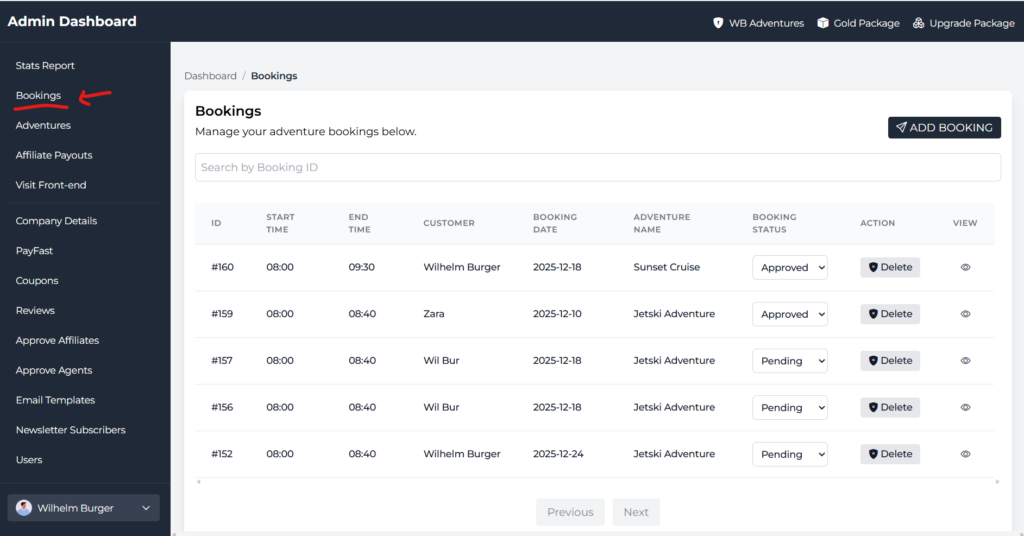
Step 1:
Click Bookings
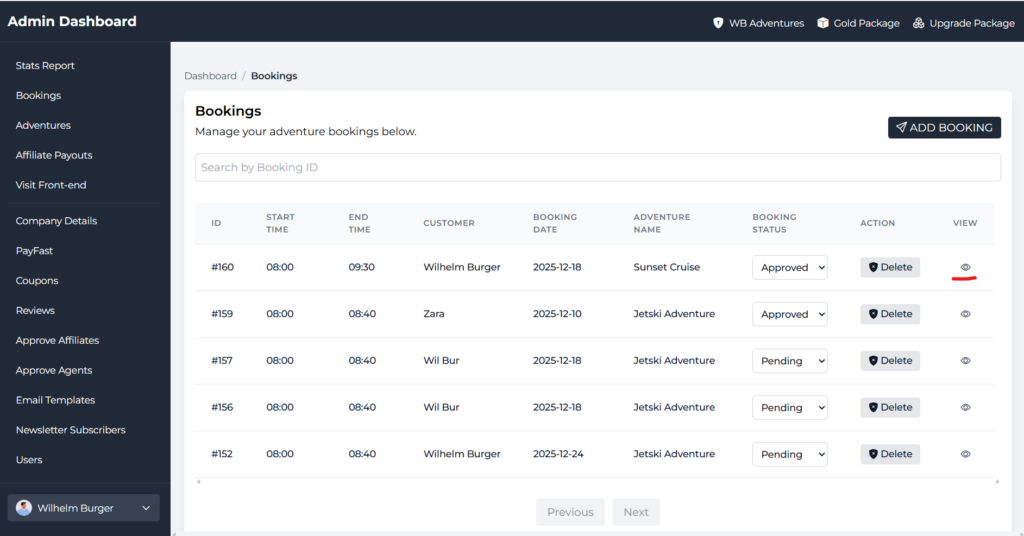
Step 2:
Click the eye icon.
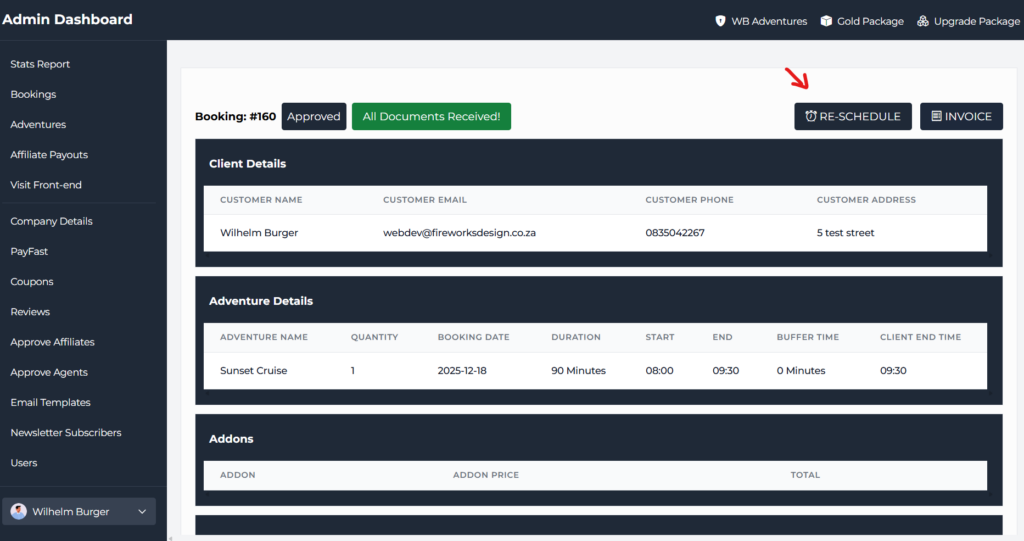
Step 3: Click Re-Schedule
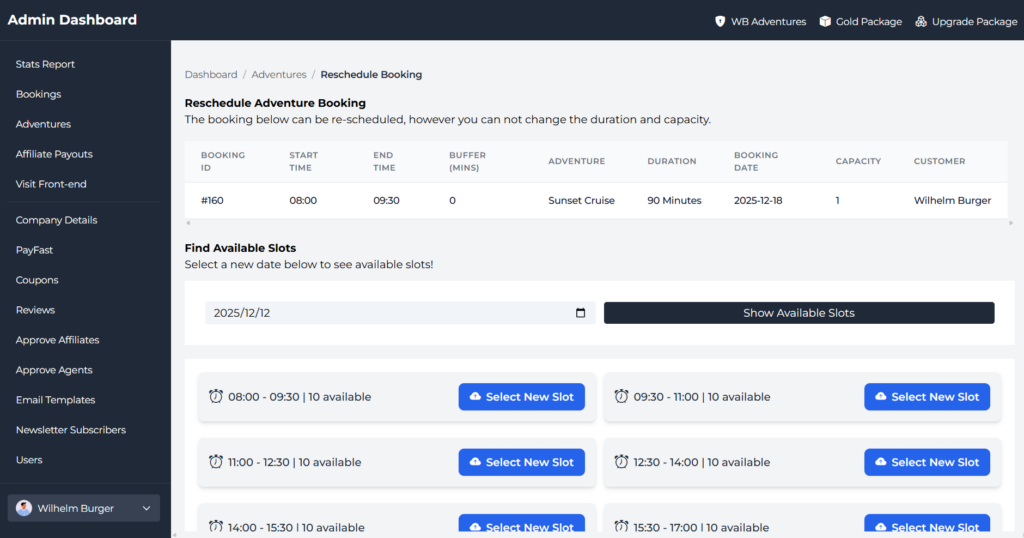
Step 4:
Select a new date and click the Show Available Slots button.
Step 5:
View available slots for the provided date and click the Select new slot button to notify the client and update the booking calendars.