
Addons are up-sells you can add to your adventure booking page. Please see below.

Step 1: click Adventures
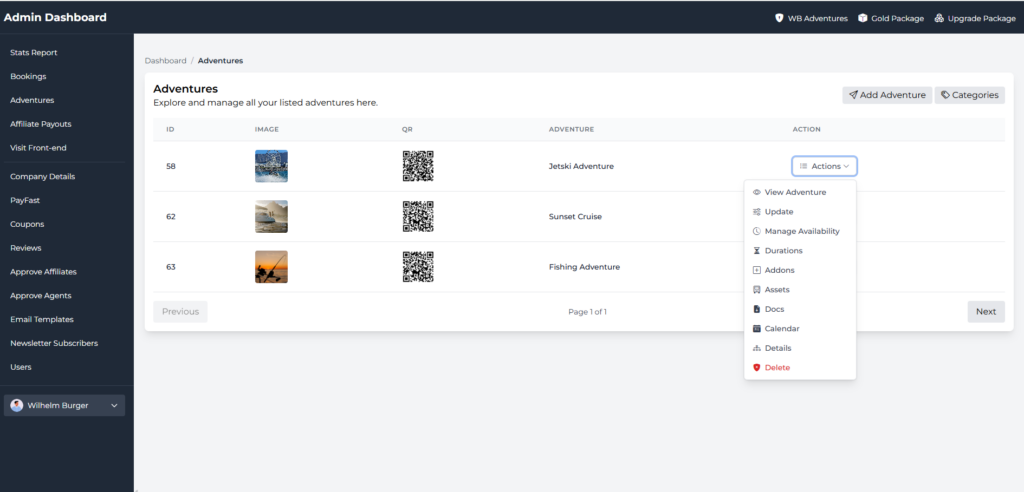
Step 2: Click the Actions button and then click Addons.
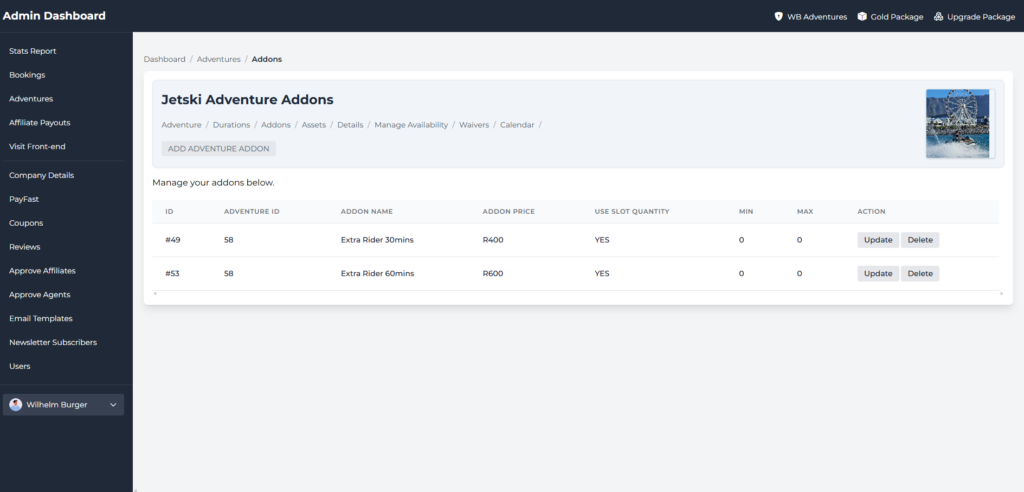
HOW TO ADD AN ADDON?
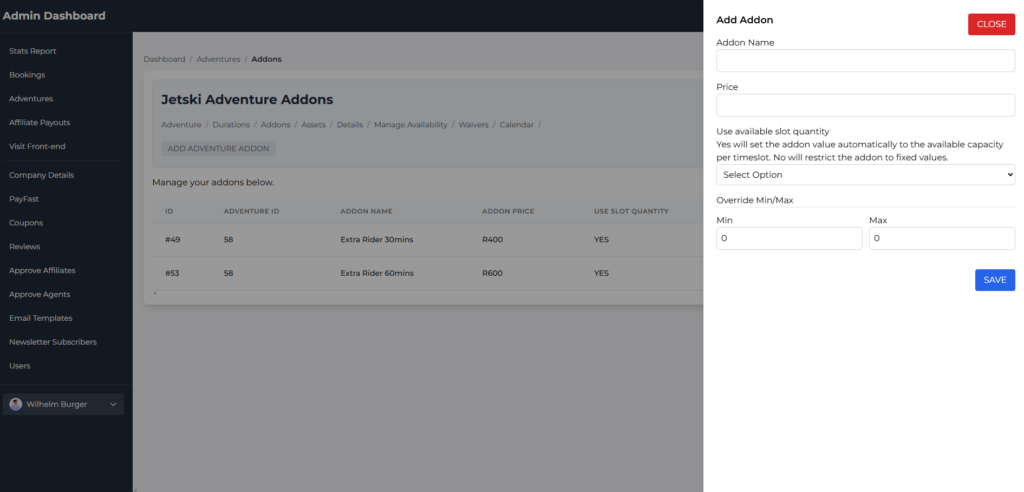
Click the Add Adventure Addon button. Enter the details and click the save button.
HOW TO UPDATE AN ADDON?
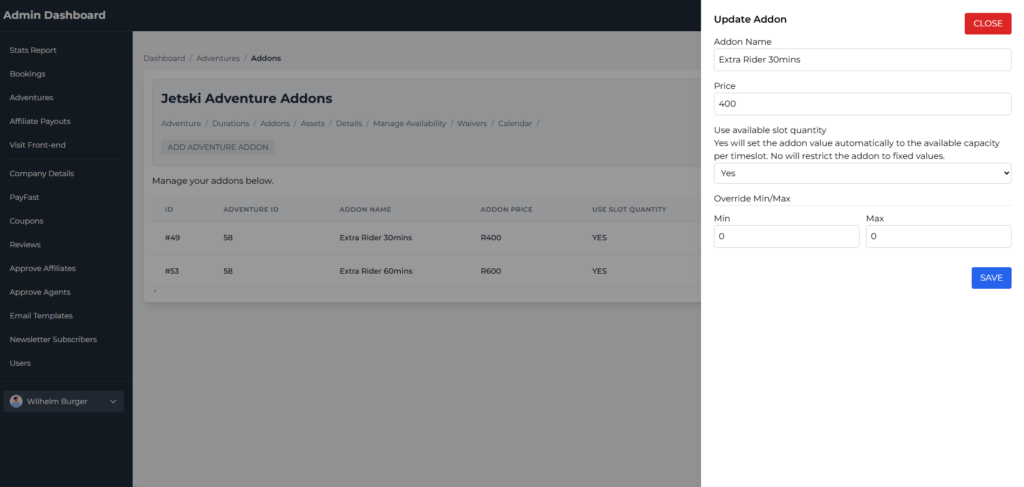
Click the Update button. Update the details and click the save button.