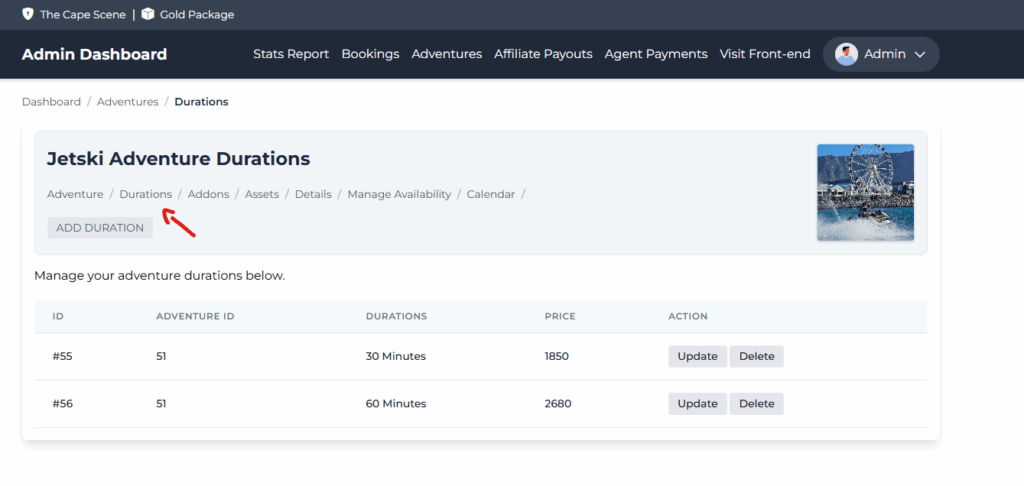
Step 1: Click Durations
Step 2: Click Add Duration

- Add duration value (in minutes)
- Enter the price
- Enter a buffer value.
Step 3:
Click save.
HOW TO UPDATE DURATION
Step 1: Click the update button.
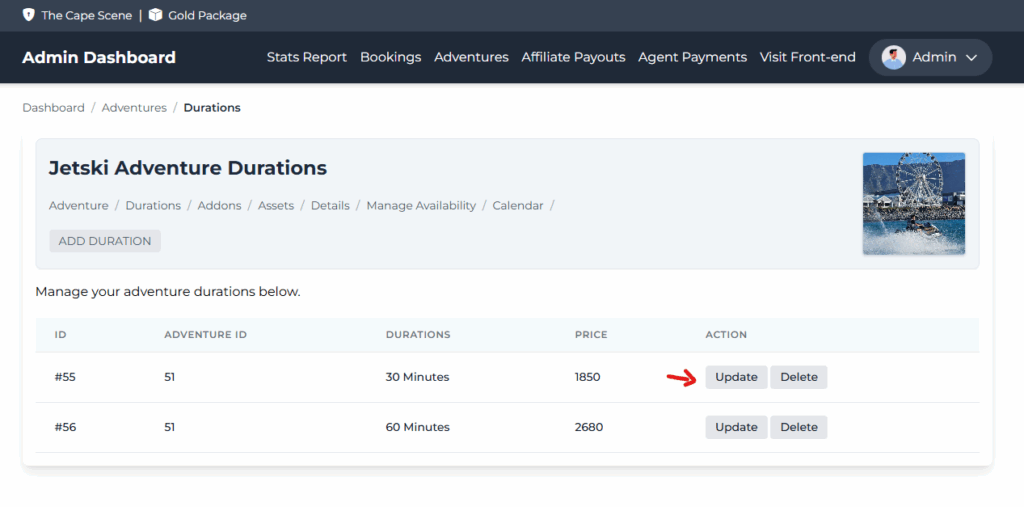
Step 2:
Update the fields.
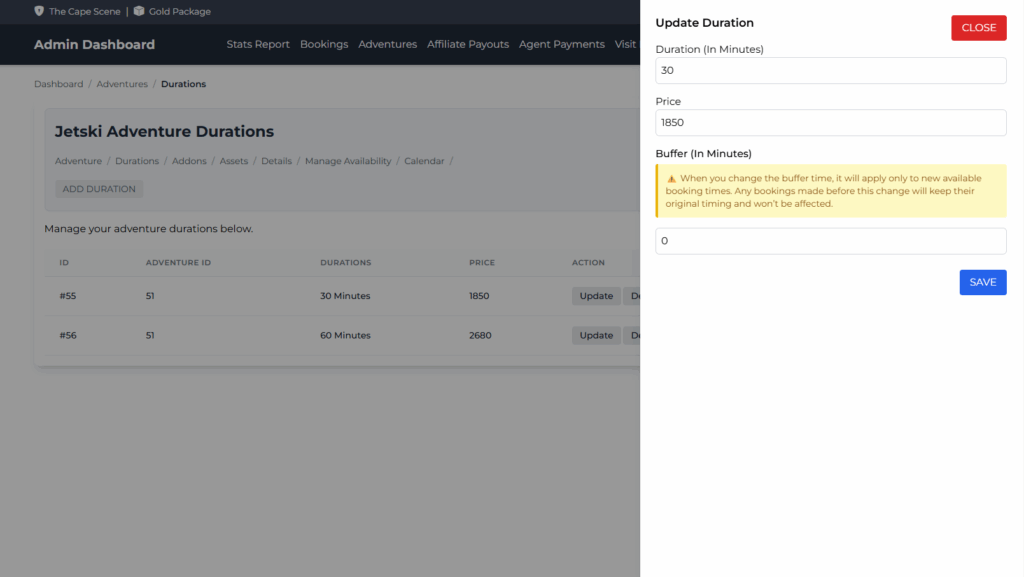
PS: When you change the buffer time, it will apply only to new available booking times. Any bookings made before this change will keep their original timing and won’t be affected.
Step 3:
Click Save.
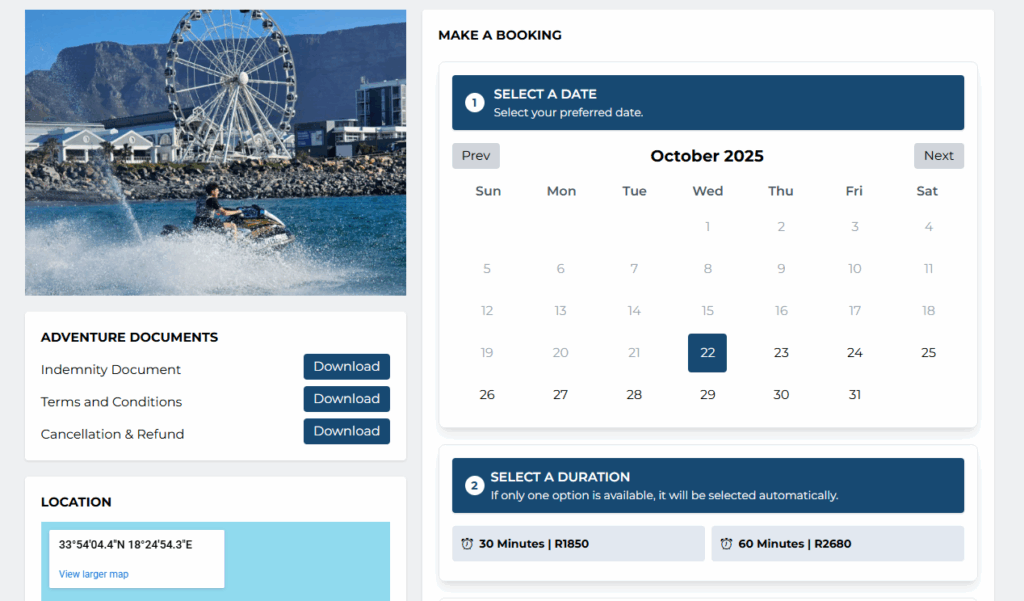
The durations setup above will appear on the adventure booking page like the screenshot below.